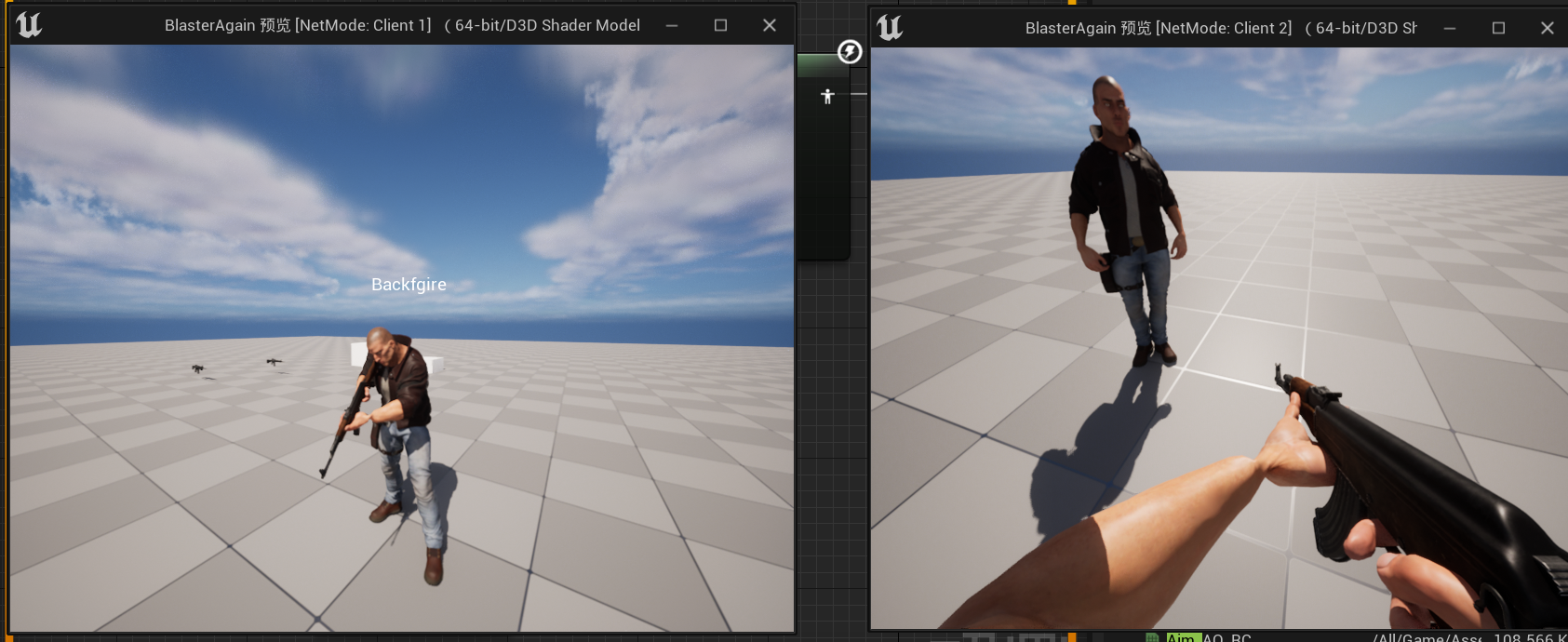
要让角色持有武器的时候上半身枪随鼠标的偏移走,需要创建瞄准偏移动画。因为我这里的角色分为手持和瞄准两种动画状态,所以需要创建两个瞄准偏移,先创建手持的。
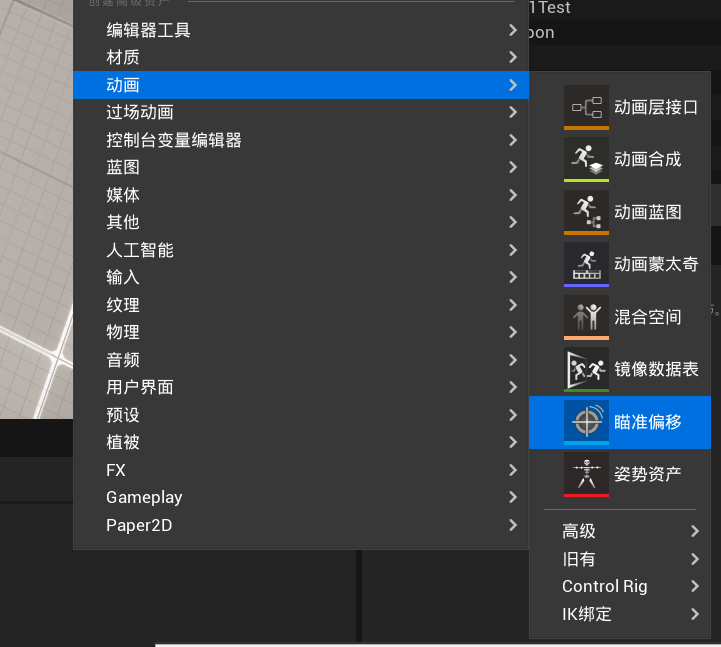

选择我们角色所使用的骨骼后就能创建成功。
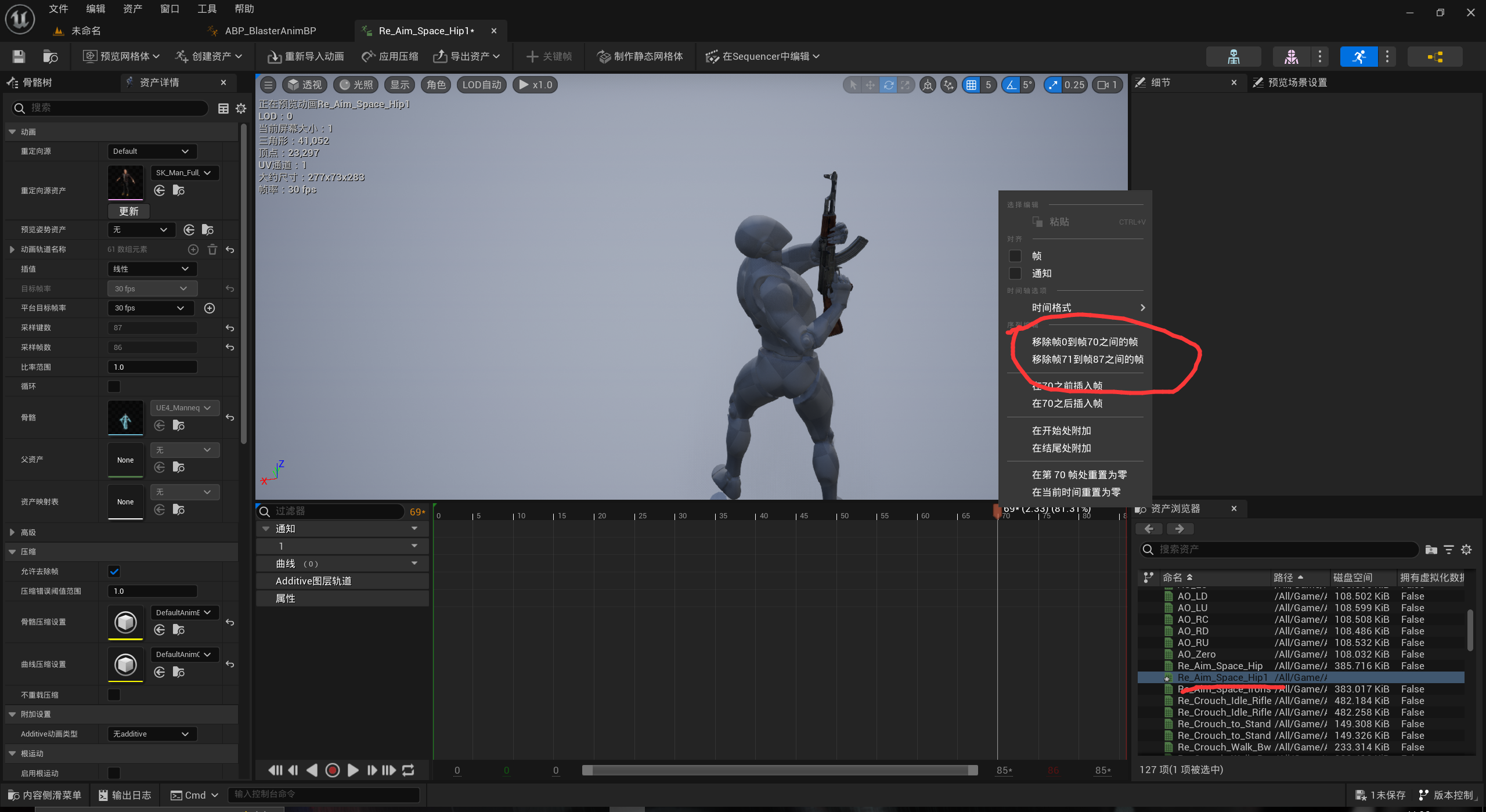

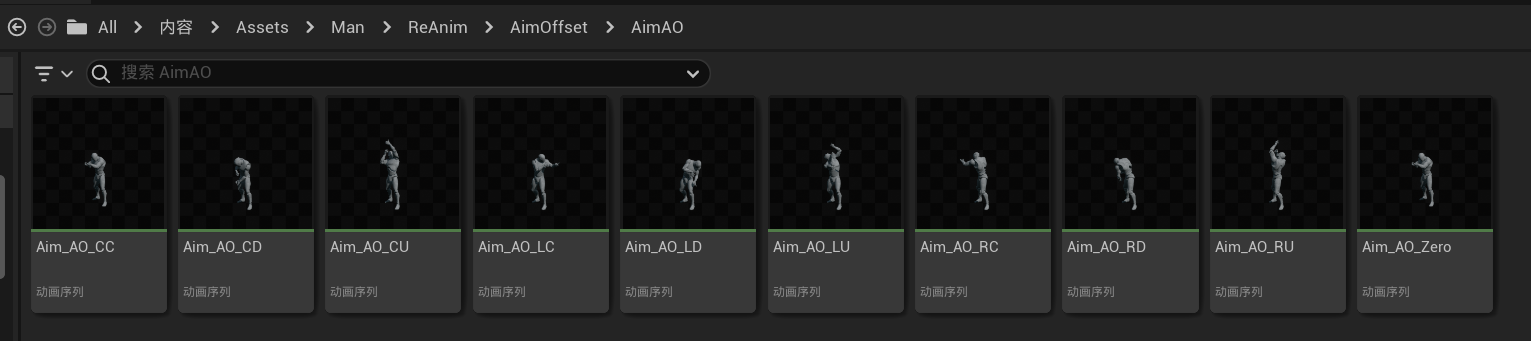
复制九份Aim_Space_Hip的动画,进去后调整到想要的动画帧数,右键红色的指针,移除指定帧之前的帧以及之后的帧,只保留当前姿势的帧。保存后就可以按如下格式命名:
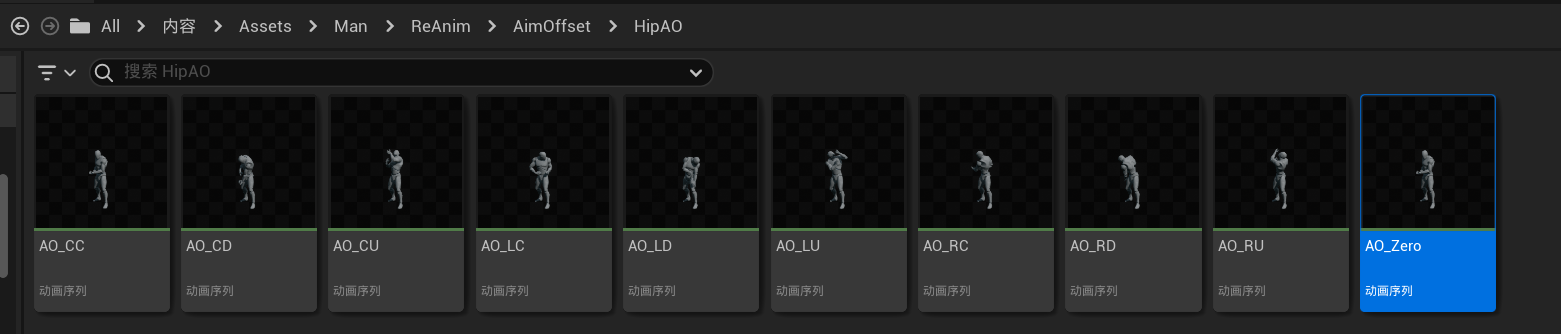

其中AO_Zero是AO_CC姿势的复制,用作设置为附加动画的基础姿势。其他所有的动画在附加设置那里设置动画类型为网格体空间,基础姿势类型为选择的动画帧,基础姿势动画选择为刚刚复制的AO_zero。这样九个方向的持枪动画就能用了。同理,瞄准动画的瞄准偏移也按照这种方法做,以最后做出来九个方向的瞄准动画和一个基础姿势动画,别忘了个九个瞄准动画添加基础姿势。

在之前创建的两张瞄准偏移中添加对应的动画:
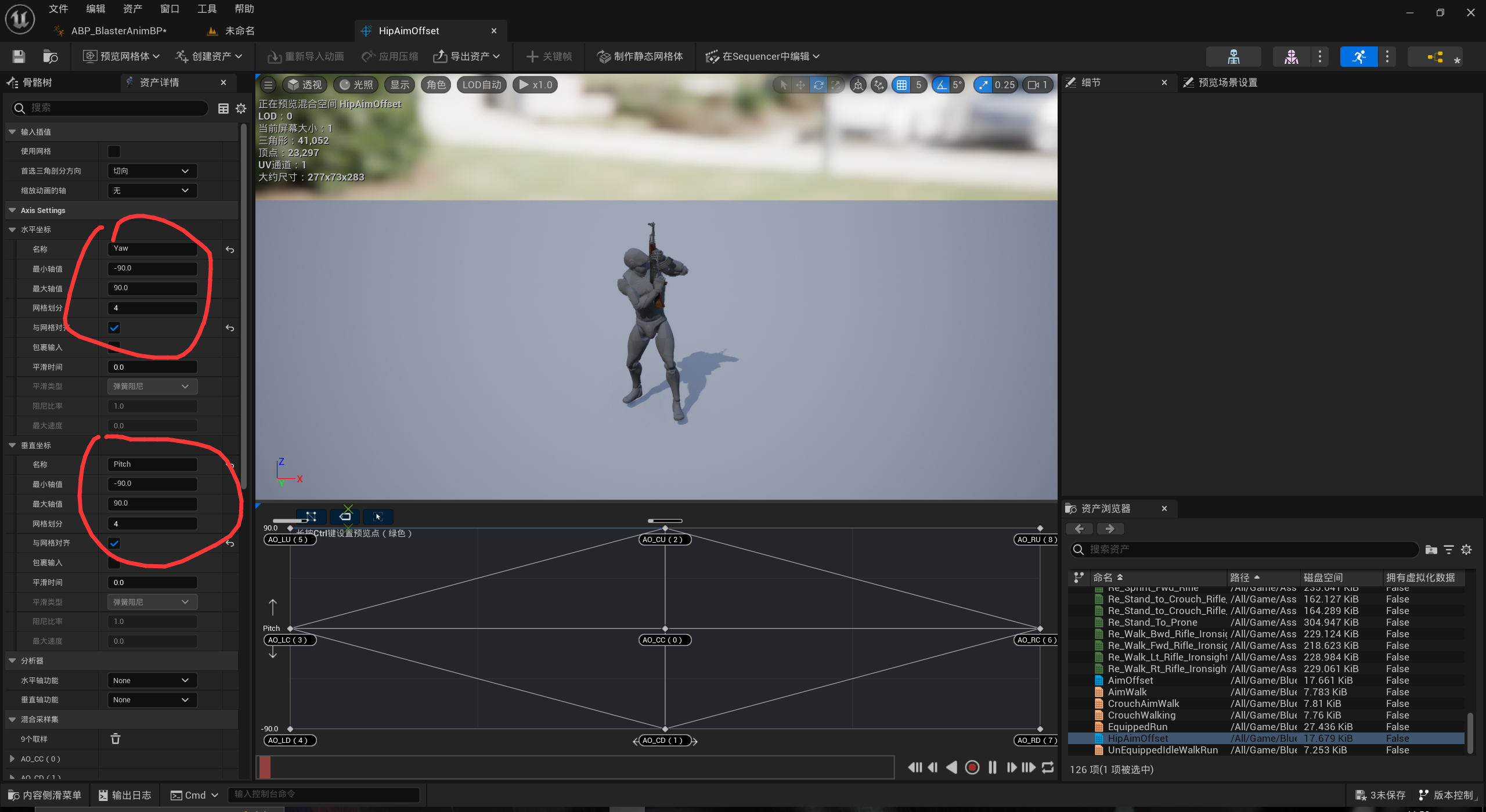

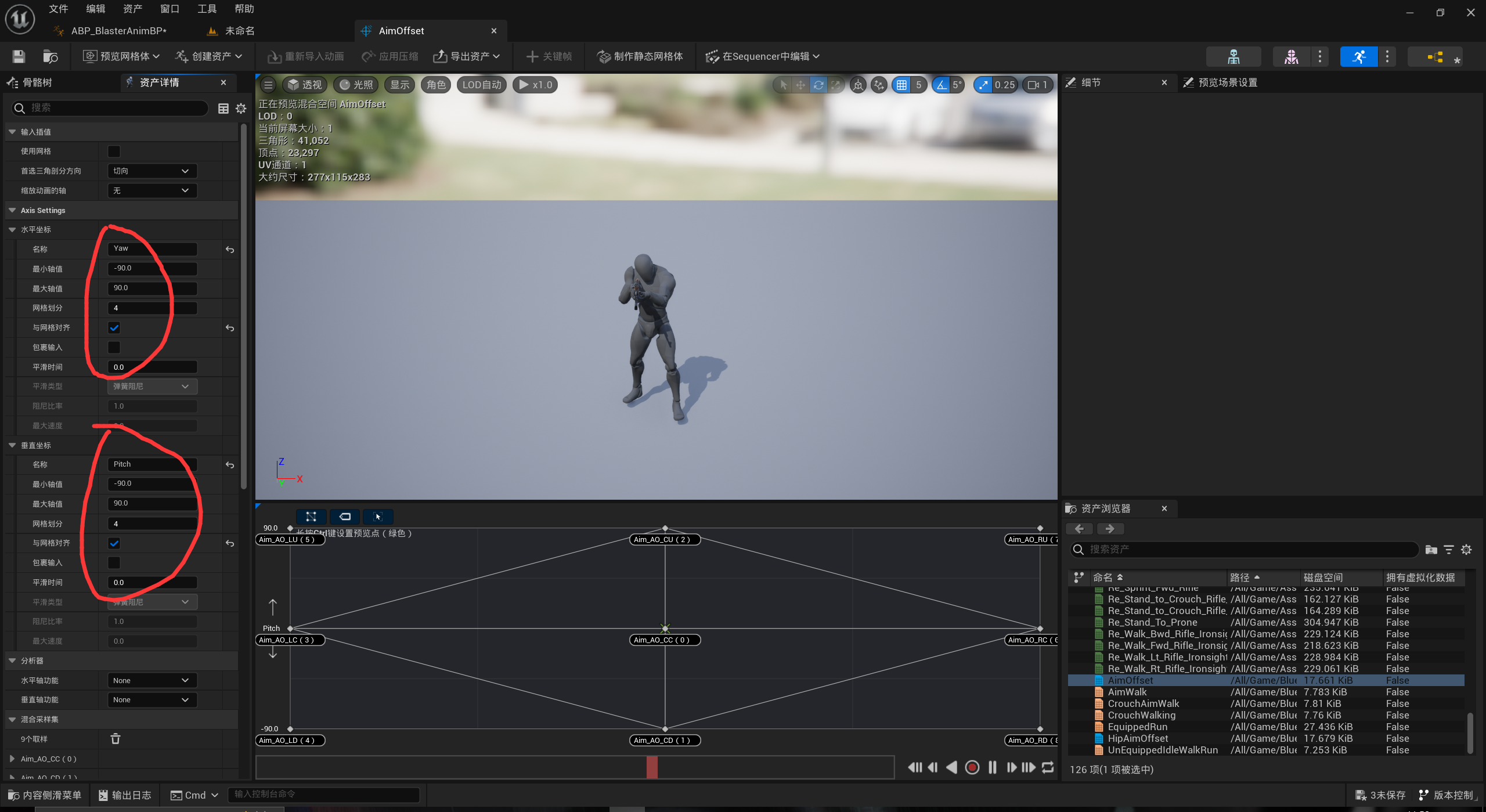

在前面的设置中横向和纵向我们设置了Yaw和Pitch,为了在动画蓝图中使用这两个值,需要在C++中获取。在角色的C++类中,添加
1
2
3
4
5
6
7
8
9
10
11
12
13
14
15
16
17
18
19
20
21
22
23
24
25
26
27
28
29
30
31
32
33
34
35
36
37
38
39
40
41
42
43
44
45
46
47
48
49
50
51
52
| protected:
void AimOffset(float DeltaTime);
float AO_Yaw;
float AO_Pitch;
FRotator StartingAimRotation;
public:
FORCEINLINE float GetAO_Yaw() const { return AO_Yaw;}
FORCEINLINE float GetAO_Pitch() const { return AO_Pitch;}
void ABlasterCharacter::AimOffset(float DeltaTime)
{
if(CombatComp && CombatComp->EquippedWeapon == nullptr) return;
AO_Pitch = GetBaseAimRotation().Pitch;
if(AO_Pitch > 90.f && !IsLocallyControlled())
{
FVector2D InRange(270.f,360.f);
FVector2d OutRange(-90.f,0.f);
AO_Pitch = FMath::GetMappedRangeValueClamped(InRange,OutRange,AO_Pitch);
}
if(IsFirstPerson())
{
bUseControllerRotationYaw = true;
StartingAimRotation = FRotator(0.f, GetBaseAimRotation().Yaw, 0.f);
AO_Yaw = 0;
return;
}
FVector Velocity = GetVelocity();
Velocity.Z = 0.f;
float Speed = Velocity.Size();
bool bIsInAir = GetCharacterMovement()->IsFalling();
if(Speed == 0.f && !bIsInAir)
{
FRotator CurrentAimRotation = FRotator(0.f, GetBaseAimRotation().Yaw, 0.f);
FRotator DeltaAimRotation = UKismetMathLibrary::NormalizedDeltaRotator(CurrentAimRotation,StartingAimRotation);
AO_Yaw = DeltaAimRotation.Yaw;
bUseControllerRotationYaw = false;
}
if(Speed >0.f || bIsInAir)
{
StartingAimRotation = FRotator(0.f, GetBaseAimRotation().Yaw, 0.f);
bUseControllerRotationYaw = true;
}
}
|
之后在动画实例的C++类中添加:
1
2
3
4
5
6
7
8
9
10
11
12
| private:
UPROPERTY(BlueprintReadOnly, Category = Anim, meta = (AllowPrivateAccess = "true"))
float AO_Yaw;
UPROPERTY(BlueprintReadOnly, Category = Anim, meta = (AllowPrivateAccess = "true"))
float AO_Pitch;
void UBlasterAnimInstance::NativeUpdateAnimation(float DeltaTime)
{
AO_Yaw = BlasterCharacter->GetAO_Yaw();
AO_Pitch = BlasterCharacter->GetAO_Pitch();
}
|
随后在动画蓝图中创建AimOffset状态机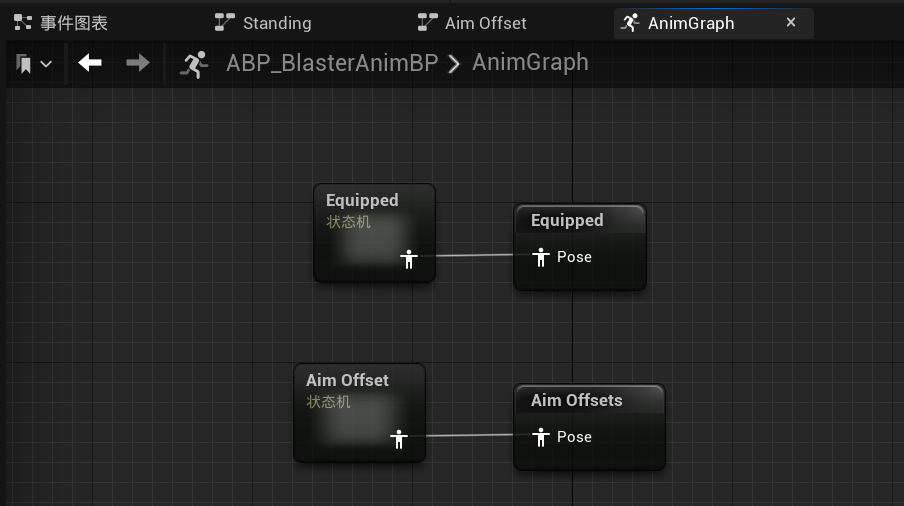

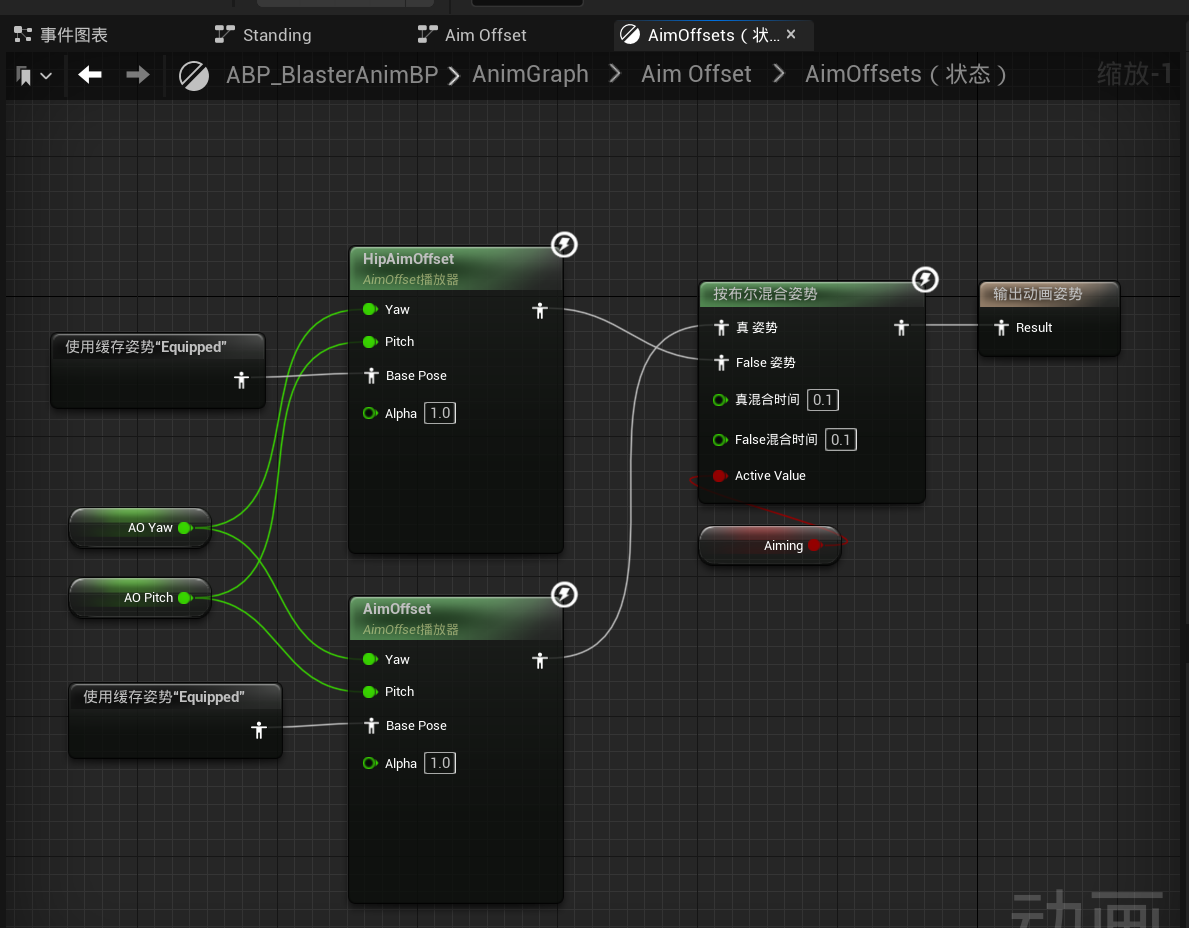

这样就做完了。可以看到玩家持有枪械的时候动画和瞄准的方向是一致的。关于瞄准时其它客户端Pitch的bug下一节说明。